Backtest on Binance’s own chart
You can backtest on Binance for free with Rechart, a Chrome extension that turns the chart on a Binance futures or spot page into a bar replay with paper trading. Pick a day in the past, the candles after it disappear, and you trade them one at a time at Binance’s regular-tier fees.
Binance at a glance
| Markets in Rechart’s picker | 429: 261 crypto perpetuals, 159 US stocks and ETFs as perpetuals, 8 commodities (gold, silver, oil and others) and 1 forex pair |
|---|---|
| Deepest history | BTCUSDT from September 2019, the same on 1m, 5m, 15m, 1h and 4h |
| Younger markets | Gold (XAUUSDT) from December 2025, Nvidia (NVDAUSDT) from March 2026 |
| Fees Rechart applies | 0.02% maker, 0.05% taker (USDⓈ-M futures, regular tier) |
| Account needed | No Binance login is needed to replay a public chart |
Start from the Binance chart
Binance shows its own chart by default, and Rechart works with the TradingView view. Switch once and Binance remembers it.
- Open a futures market such as BTCUSDT perpetual, or a spot pair.
- Above the chart, choose the TradingView view instead of Original.
- Click the Rechart icon in the toolbar, or press Alt+Shift+B.
- Choose Free practice or Prop challenge, set your balance, then click the candle where the replay should begin.
Everything to the right of that candle is removed from the chart’s data, not covered up. Zooming, scrolling, switching timeframe or adding an indicator can’t reveal it.
Or start from rechart.trade
On Start a backtest, pick a market, choose Binance, a timeframe and a start date, and decide whether to pay fees. Rechart opens the Binance futures page in a new tab, switches it to the TradingView view if needed, and starts the session on the day you chose. The first time, Chrome asks for permission to run on binance.com; it covers only that site and can be removed in the extension settings.
The picker also shows how far back each timeframe goes for that market, so you don’t pick a day Binance has no candles for.
What you can replay on Binance
- Crypto perpetuals: BTC, ETH, SOL, XRP and the rest of the USDⓈ-M list. Long history makes Binance a good place for testing a crypto idea across several market cycles.
- Stocks and ETFs as perpetuals: NVDA, TSLA, AAPL, SPY, QQQ and more, quoted around the clock. Their history is short, months rather than years.
- Commodities: gold, silver and WTI oil perpetuals.
- Spot pairs: start Rechart on a spot chart such as BTC/USDT the same way. The picker on rechart.trade opens futures pages.
When a market is young, Rechart notices its first candle and stops asking Binance for older data, so a replay that starts close to a listing date doesn’t stall.
Fees on Binance
With fees switched on, Rechart charges Binance’s USDⓈ-M futures regular-tier rates: 0.02% of position value for maker fills and 0.05% for taker fills. A limit entry that fills and a take-profit exit count as maker. Market entries, stops and manual closes count as taker.
If you have a VIP tier or a BNB discount, type your own maker and taker rates when you create the session. Funding payments and slippage are not simulated, so results on long holds are a little optimistic.
In a prop challenge, the exchange fees are replaced by the plan’s own commission: 0.0325% per side on crypto in the Classic plans. See the prop challenge simulator guide.
Binance tips
- Binance keeps 1-minute candles as far back as its 4-hour ones on major pairs, so you can drop to 1m inside a 2020 replay to see exactly how a stop was hit.
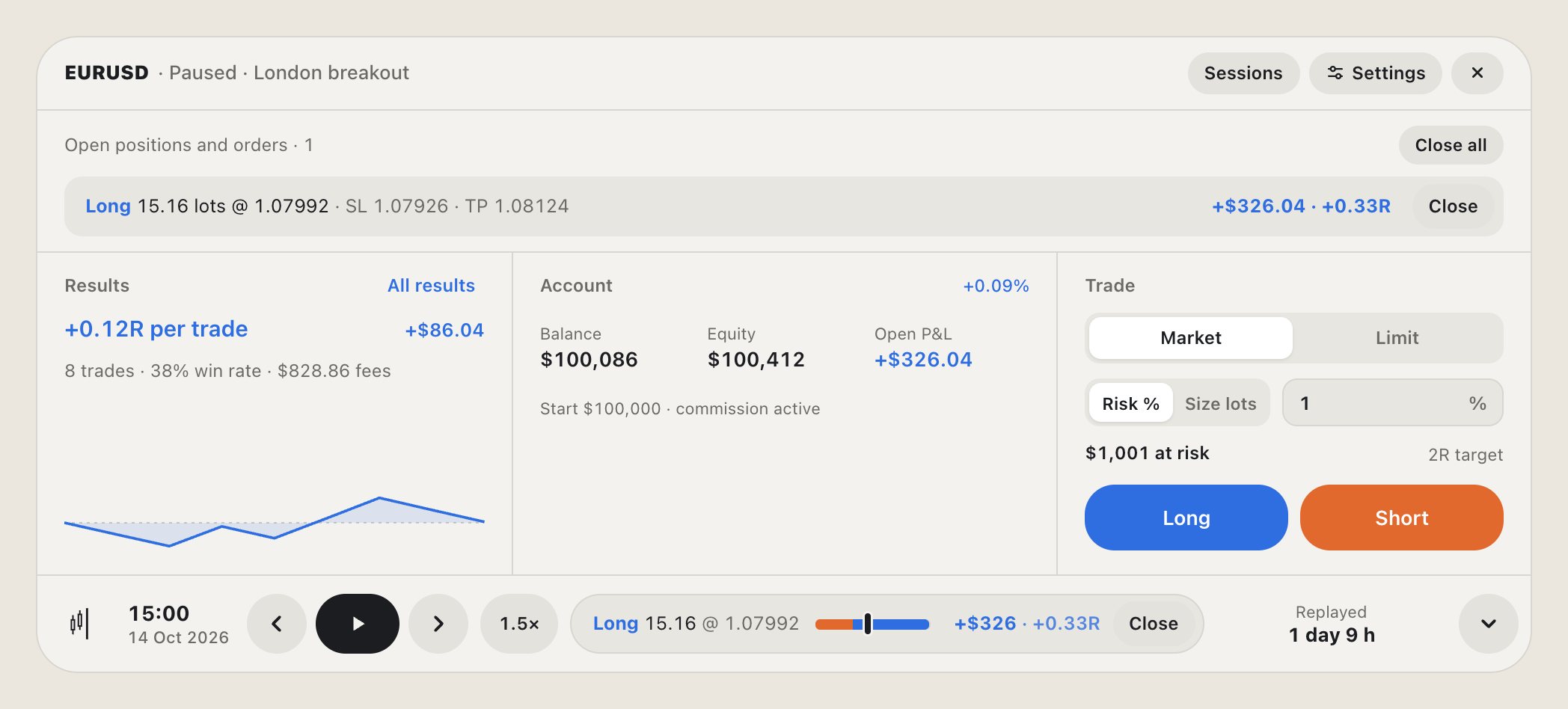
- Rechart works out a fill from the candle it happened in. When one candle touches both your stop and your target, a setting decides which fills first.
- Sessions save themselves. Close the tab and continue tomorrow from the Rechart panel, or from Backtest Lab, where all your Binance sessions are read together with those from other exchanges.
Questions
Is backtesting on Binance with Rechart free?
Yes. Rechart is a free Chrome extension with no account and no subscription. You don’t need a Binance account to replay a public chart either.
Does Rechart place orders on my Binance account?
No. Every trade is simulated on your screen. Rechart never touches your Binance account, balance or API keys.
Why does Rechart say there is no chart?
Binance’s Original chart isn’t built on TradingView’s charting library. Choose the TradingView view above the chart and click the Rechart icon again.
Can I use my VIP fee rate?
Yes. When you create a session with fees on, edit the maker and taker rates to match your tier or discount.
Try it on your next chart
Rechart is free in the Chrome Web Store and works in Chrome, Brave and Edge. No account, no subscription.